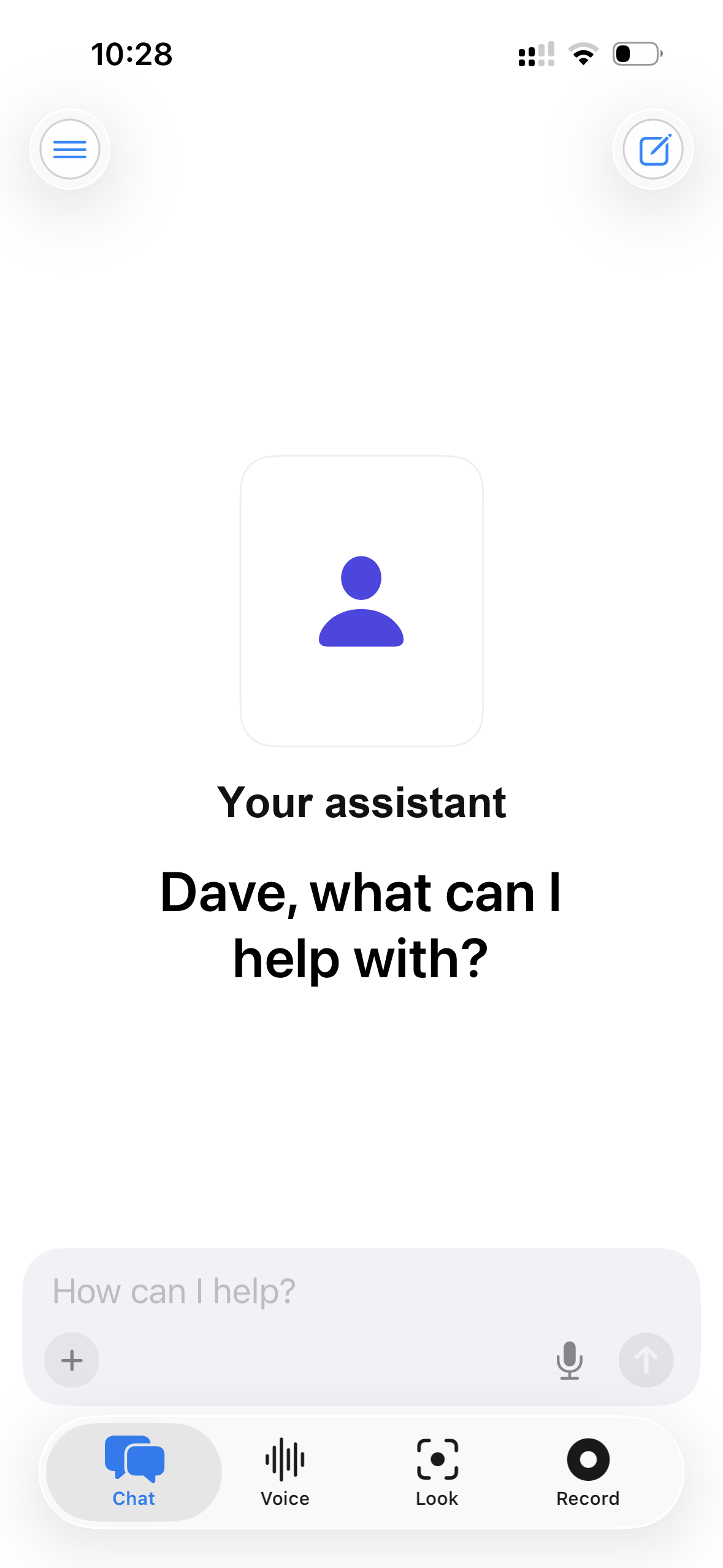
The coworker that already knows your company.
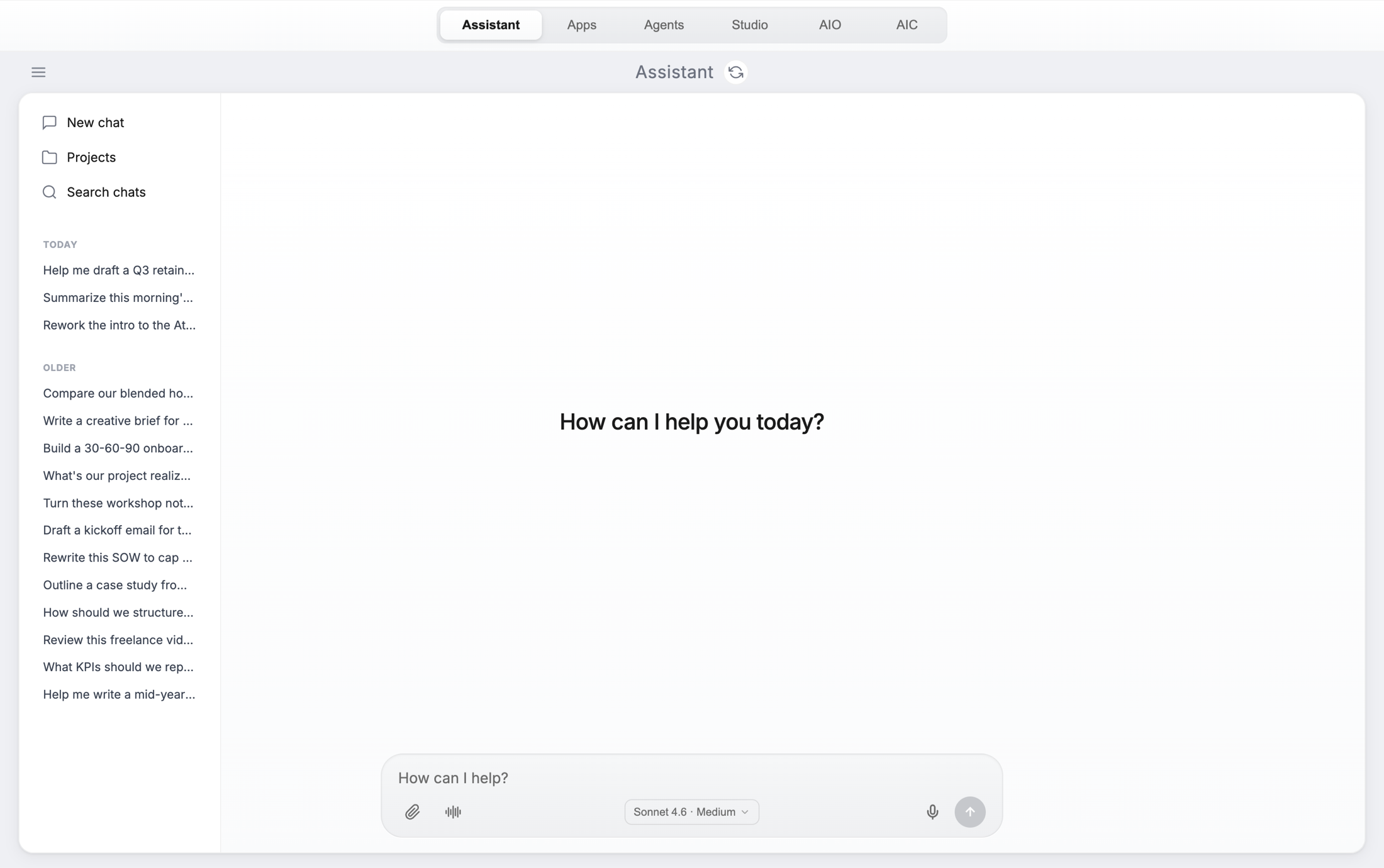
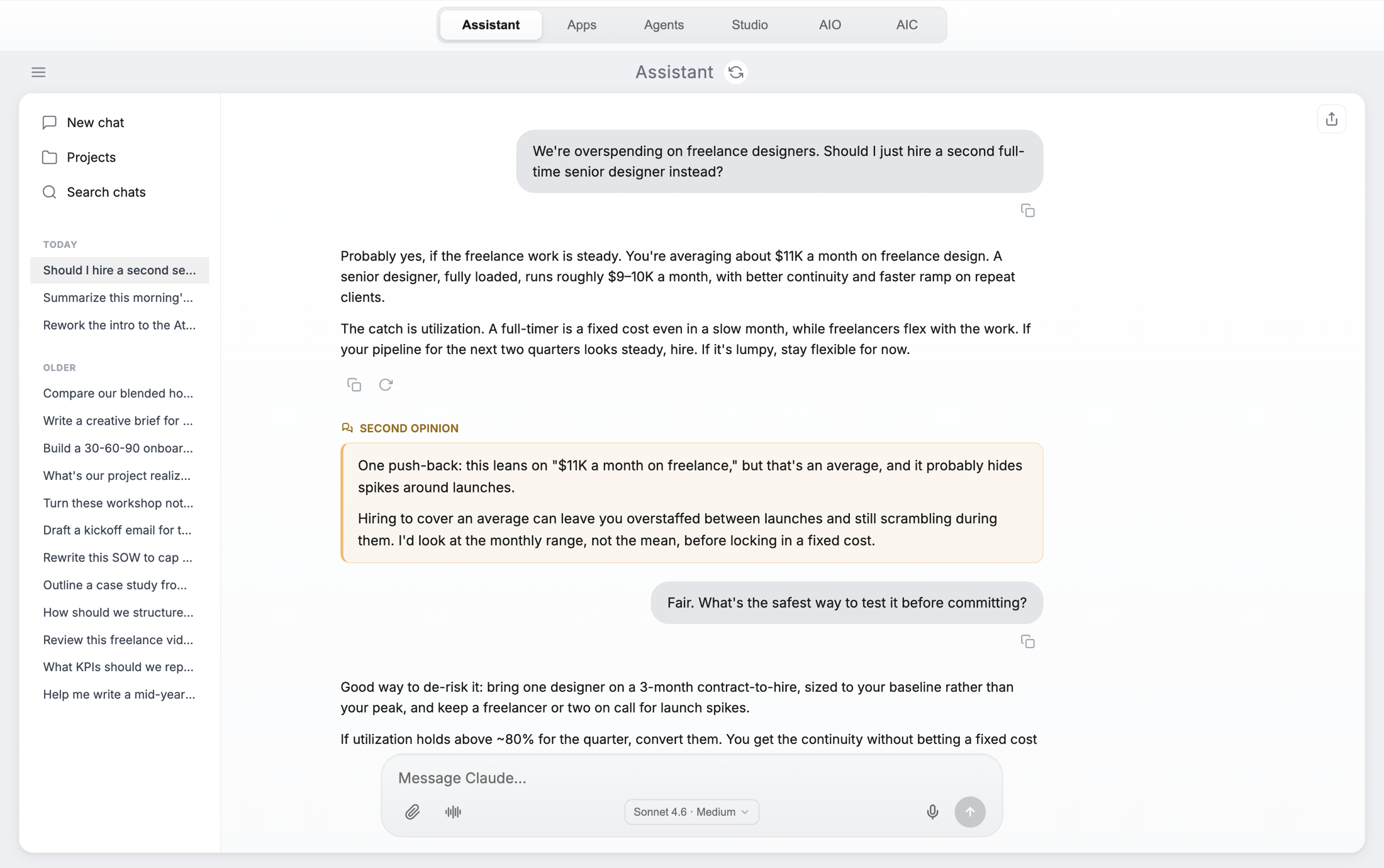
Every employee gets one. What makes it different from the chatbot they're using now is that it isn't starting from nothing: it reads your company brain, so it already knows what you do, who your clients are, how you talk, and what happened last quarter. New hires get the institutional knowledge on day one instead of month six.
Connect your inbox and it reads your email. Point it at the live web and it goes and looks. Ask by typing, by voice, or by showing it something through your camera — and every conversation is one your company keeps, not one locked in someone's personal account.
Purpose-built tools for the jobs you actually do.
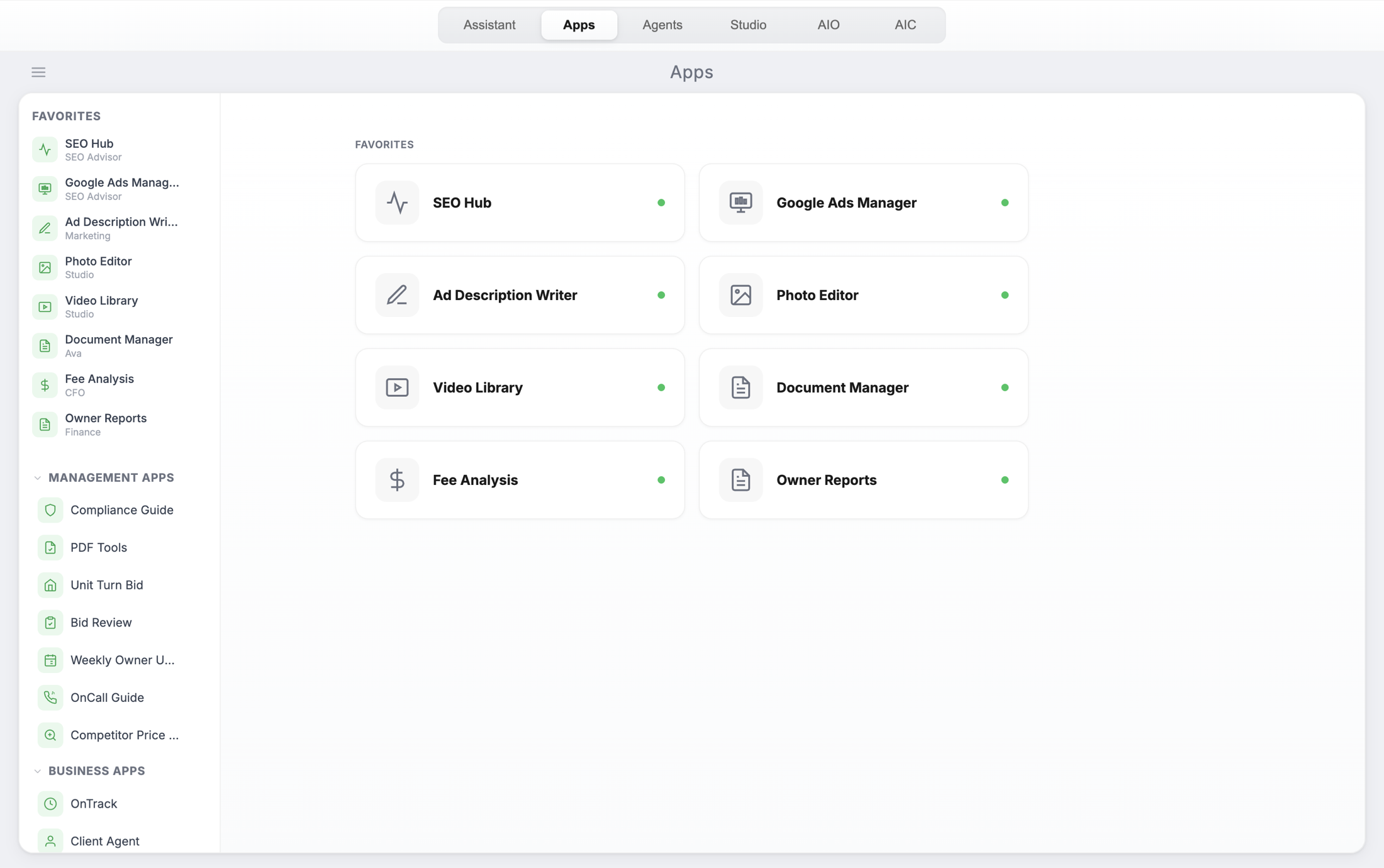
An app is a job with the thinking already wired in. Financial analysis, reporting, content, owner updates. Your team opens one like any other piece of software, and it works from your data instead of a blank prompt box.
The Apps library. Favorites on top, everything else grouped by department. Your team doesn't need to know how to prompt anything — they just open the tool for the job in front of them.
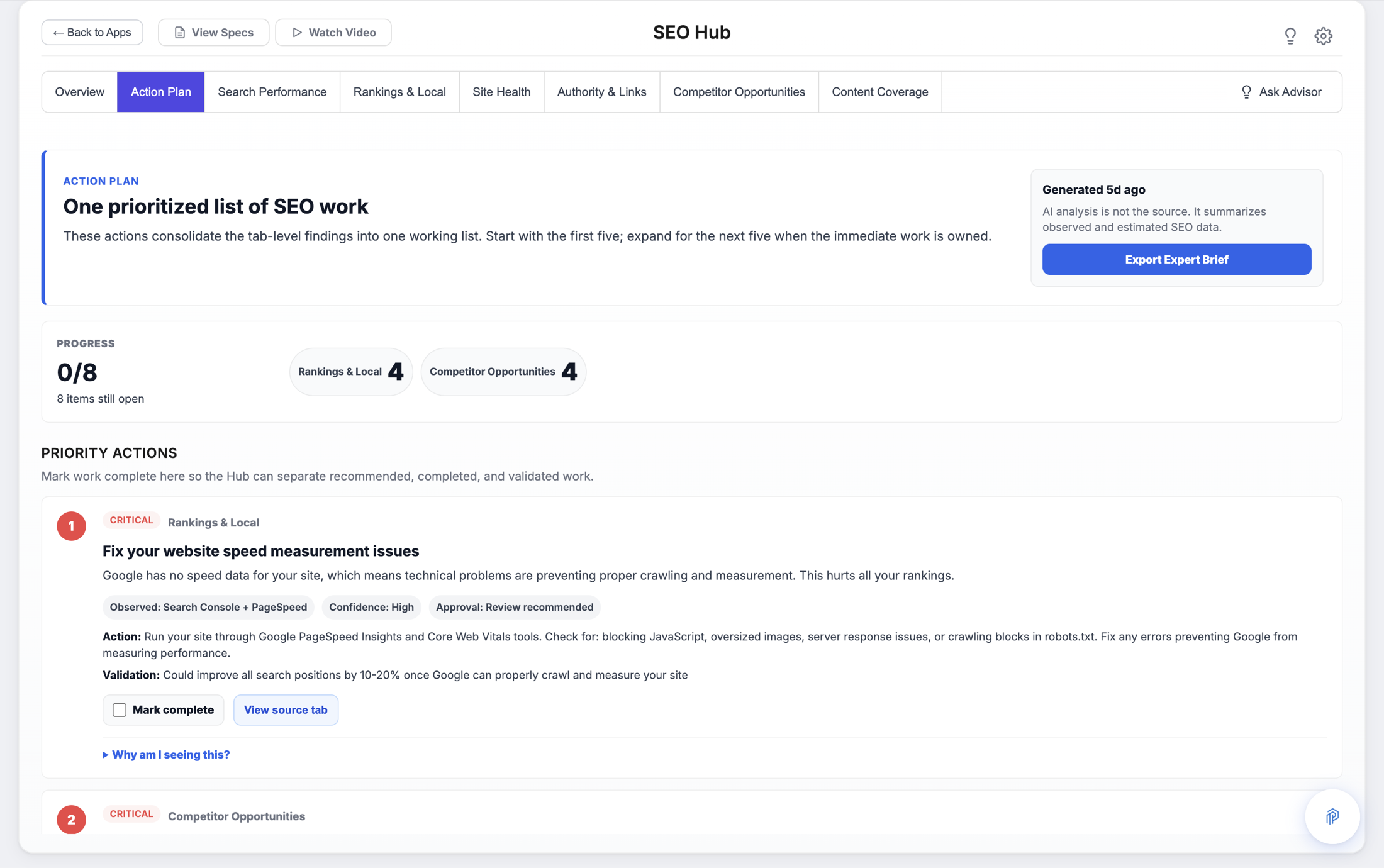
This is what an AI-powered app looks like — the SEO Hub. Not a chat window, but a finished piece of work. It watches your site and your competitors continuously, then hands you a ranked list of what to fix and what each fix is worth. Every app is shaped like this, for whatever job it does.
The work that happens without anyone opening a tab.
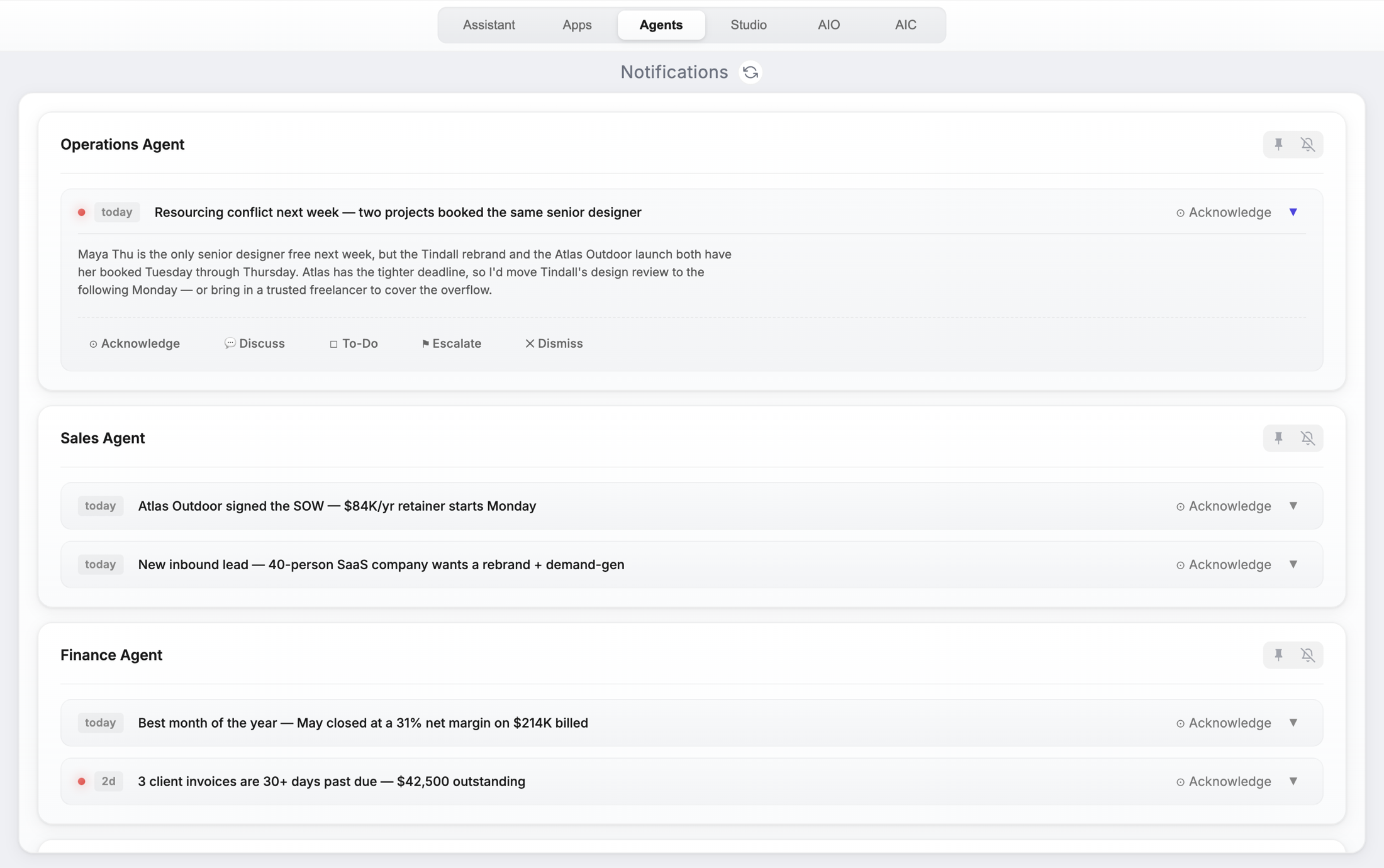
Agents run in the background on a schedule: audits, reports, follow-ups, monitoring. They don't email everyone — they post what they found to one feed, where whoever owns it decides what happens next.
The notification wall. One place where background work reports in. Anything sensitive waits here for a human to approve it rather than acting on its own — that's the difference between an agent you can leave running and one you have to babysit.
Know what AI costs before it costs you.
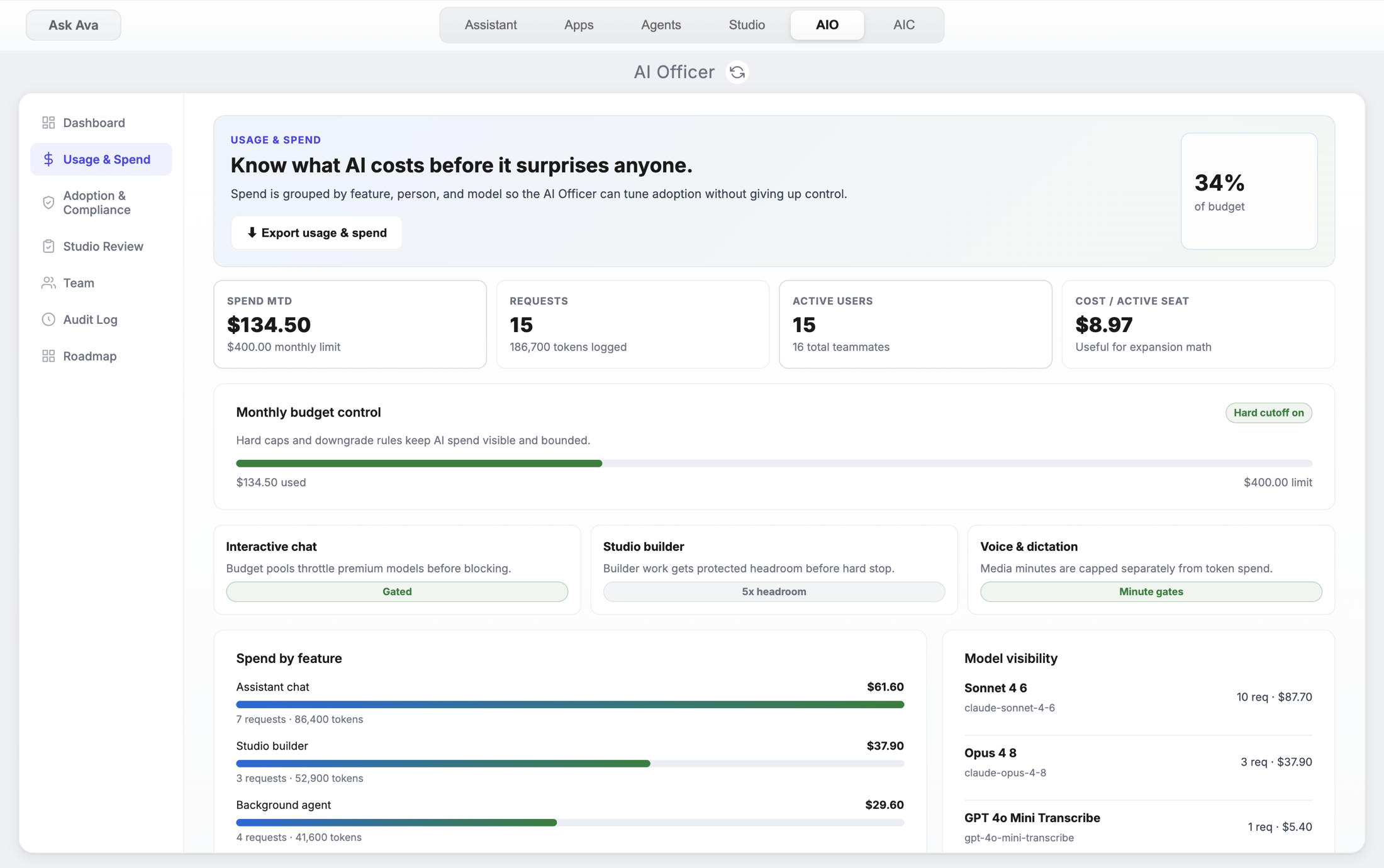
Most companies can't answer "what did AI do for us last month?" This is the answer, standing.
Spend by feature and by model, against your caps. Assistant and app chat pause when the rolling 7-day cap is hit, instead of quietly running up your bill. Nothing on this screen is an estimate — it's metered from the actual calls.
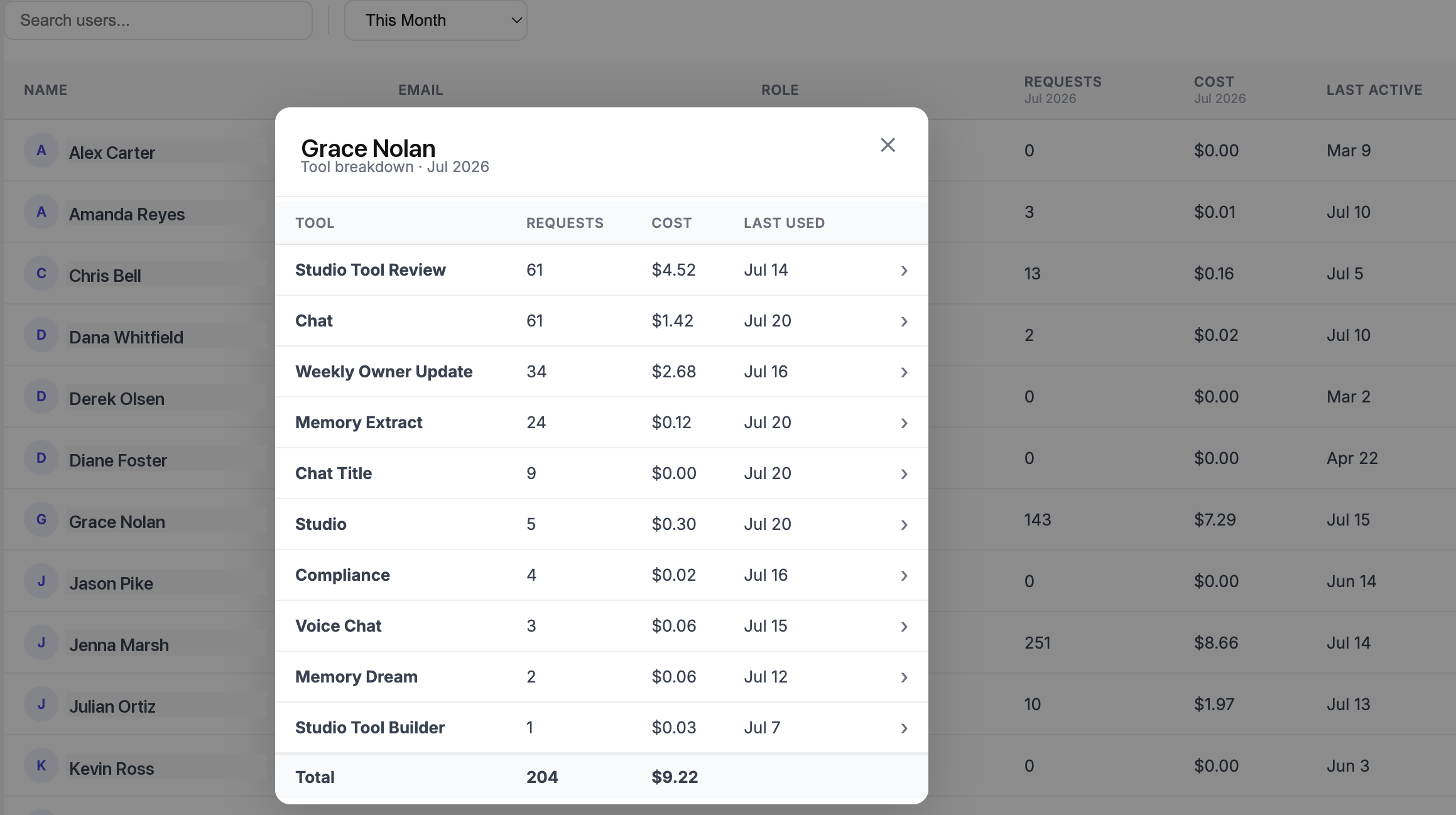
The same month, by person. Every employee's requests and cost, down to the individual tool and the last cent. This is what "itemized to the penny" means — and it's how you find out which parts of your business AI is actually helping.
Adoption never trickles down from the top.
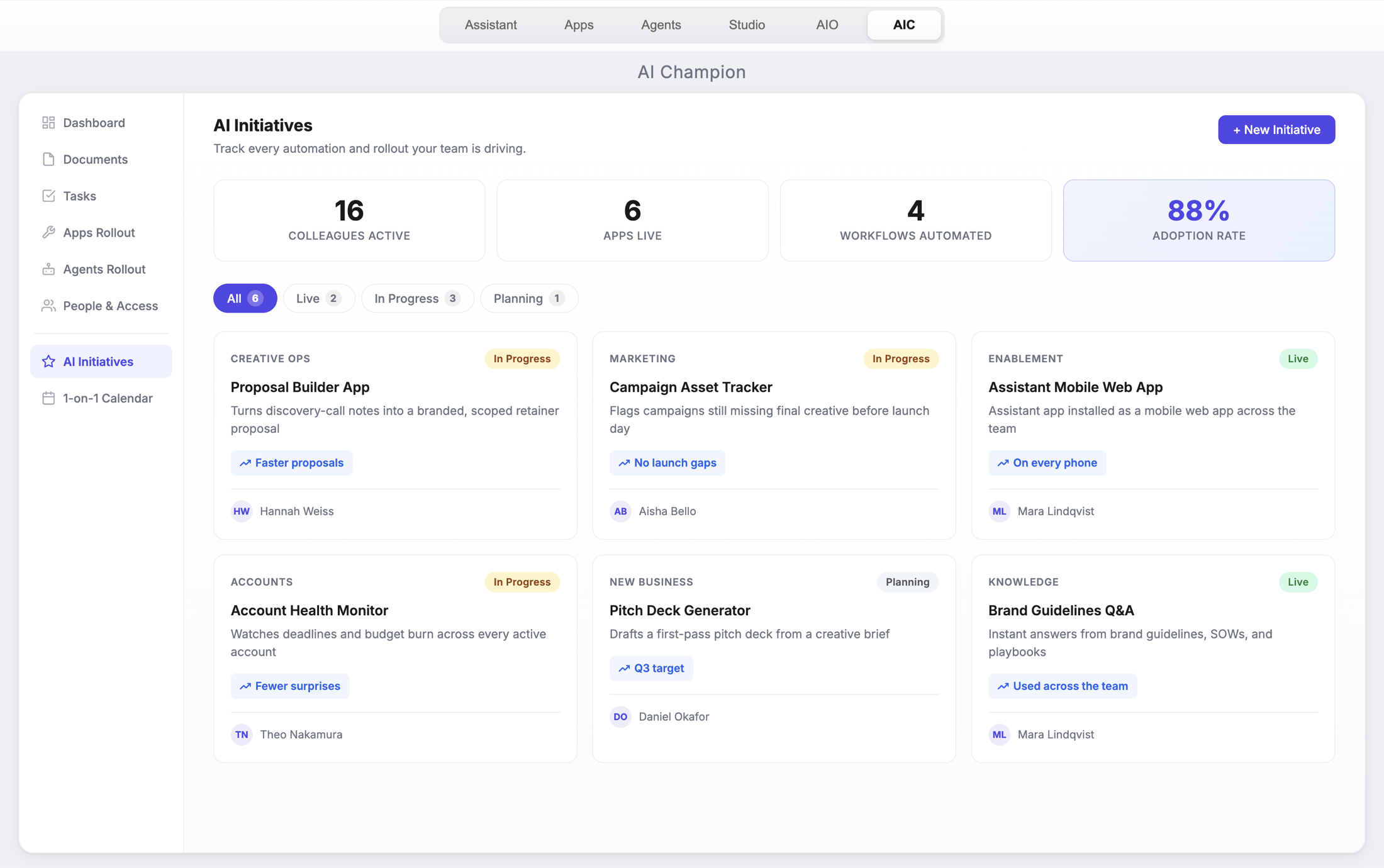
You can buy the whole platform and still watch it go unused. What moves a team is seeing the person at the next desk do something faster — so one of your own people runs the rollout, and this is the desk they run it from.
Every initiative, who owns it, and whether anyone is actually using it. How many colleagues are active, how many apps are live, how many workflows are automated, and what your adoption rate is. Each card belongs to a real person on your team rather than to us, which is the whole point: the people teaching each other work there.
The same brain, in your pocket.
A native iPhone app, not a mobile website. Whatever it learns lands in the same company brain the portal runs on, so the context follows you back to your desk. Four ways to use it live in the bar at the bottom: type to it, talk to it, show it something through the camera, or record the room.
And when the tool you need doesn't exist yet.
Every business has a job no software company ever built for. Describe it in plain English and we build it with you in Studio, then ship it into your team's portal like it was always there. That's the part most people don't believe until they watch it happen — so it's usually what we do in the working session.